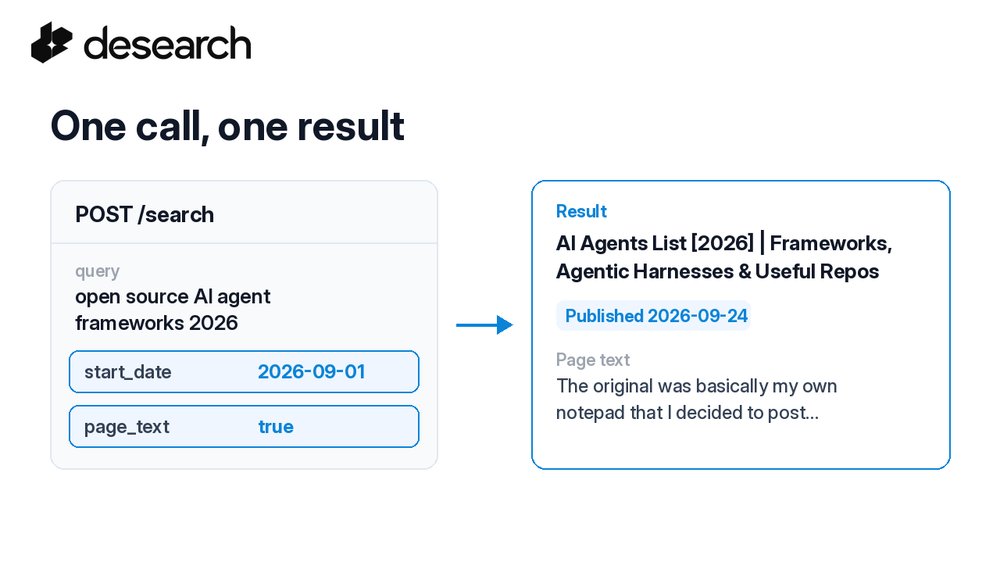
One agent task: "What has been published about open source AI agent frameworks since September 1?"
One Desearch web search call with a start date and page text. Every result came back inside the date range, with the full page text.
#searchAPI
Full post on TaosisOpen on X ↗
Give Desearch crawl a URL it can't fetch and it now tells you plainly that the URL is invalid.
Less guessing when your agent hits a bad link.
#searchAPI

Full post on TaosisOpen on X ↗
Full walkthrough with curl and a Python reply digest:
Full post on TaosisOpen on X ↗
Add context with GET /twitter/post for the original post and GET /twitter/post/retweeters for who reposted it.
Full post on TaosisOpen on X ↗
Plan for the limit: replies come back as a sample, not the full thread. There is no cursor and no reply total, so don't treat the result as every reply.
Full post on TaosisOpen on X ↗
count sets how many replies to ask for, 1 to 100 (default 10).
Add query to filter, for example a keyword or lang:en. No match means an empty array, not an error.
Full post on TaosisOpen on X ↗
GET /twitter/replies/post?post_id=...
The post ID is the number after /status/ in the post URL. You get back an array of reply posts with text, user, url, and engagement fields.
Full post on TaosisOpen on X ↗
The replies under a post often say more than the post itself.
Here's how to pull replies to any public X post as structured JSON with one call 🧵
Full post on TaosisRead the thread on X →Open on X ↗
Builder tip: one Desearch web search call can ask for page text and a publish-date window together.
Fresh pages, full text, one request.
#searchAPI

Full post on TaosisOpen on X ↗
Full walkthrough with curl and a Python tool that returns page text next to its source URL:
Full post on TaosisOpen on X ↗
Every billable response carries X-Desearch-Cost-Usd and X-Desearch-Usage-Count headers, so your agent can log what each search and each page cost.
Full post on TaosisOpen on X ↗
Step 2: GET /web/extract?url=...
Returns the page content as plain text by default. Set format=html if you want the markup instead.
Full post on TaosisOpen on X ↗
Step 1: GET /web?query=...
You get a data array of results with title, link, and snippet. Page through with start (skip count, up to 100).
Full post on TaosisOpen on X ↗
Most web agents run the same loop: find pages, then read them.
With Desearch that is two GET calls. Here's the whole pattern 🧵
Full post on TaosisRead the thread on X →Open on X ↗
Need results from a specific window?
Set a start and end date on Desearch web search and keep results inside that publish range.
#searchAPI

Full post on TaosisOpen on X ↗
Full guide with curl and a Python script that runs the whole flow:
Full post on TaosisOpen on X ↗
Bonus: count the hashtags across results and you see which neighboring tags your audience uses. It's an easy way to widen a monitor.
Full post on TaosisOpen on X ↗
Step 3: comments
Take the shortcode of the most discussed post and call
GET /desearch/instagram/comments/{media_id}
You get text, author, likes, replies.
Full post on TaosisOpen on X ↗
Step 2: hashtag media
GET /desearch/instagram/hashtag/{tag} (no #)
Each post comes back with caption, createTime, stats, and every hashtags entry in the caption.
Full post on TaosisOpen on X ↗
Step 1: keyword search
POST /desearch/instagram/search
Returns public profiles with username, plus followers and mediaCount when available. Good for "who's active on this topic?"
Full post on TaosisOpen on X ↗
Want an agent or dashboard to follow an Instagram hashtag?
You need three calls: find the accounts, pull the posts, read the comments. All public data, all JSON 🧵
Full post on TaosisRead the thread on X →Open on X ↗
Does your agent need links to read, or a cited answer it can use right away?
With the Desearch AI search API, one request can return either. The Desearch blog walks through both.

Full post on TaosisOpen on X ↗
Validator TAO.app (5CoZ…bifj) scheduled a child-key change on 125 subnets
Validator hotkey 5CoZxgtfhcJKX2HmkwnsN18KbaT9aih9eF3b6qVPTgAUbifj announced new child keys on SN1, SN2, SN3, SN4, SN5, SN6, SN7, SN8, SN9, SN10, SN11, SN12 and 113 more, applying at block 9,281,605 (~24h). Stake delegated to it there routes through its children after that.
ValidatorTAO.appSubnetsSN1, SN2, SN3, SN4, SN5, SN6, SN7, SN8, SN9, SN10, SN11, SN12, … (125 subnets) Between blocks 9,274,365 and 9,274,433
Desearch search now returns the page text for ordinary queries.
Your agent reads the page, not just a snippet.
#searchAPI

Full post on TaosisOpen on X ↗
 Desearch.ai | Subnet 22@desearch_ai